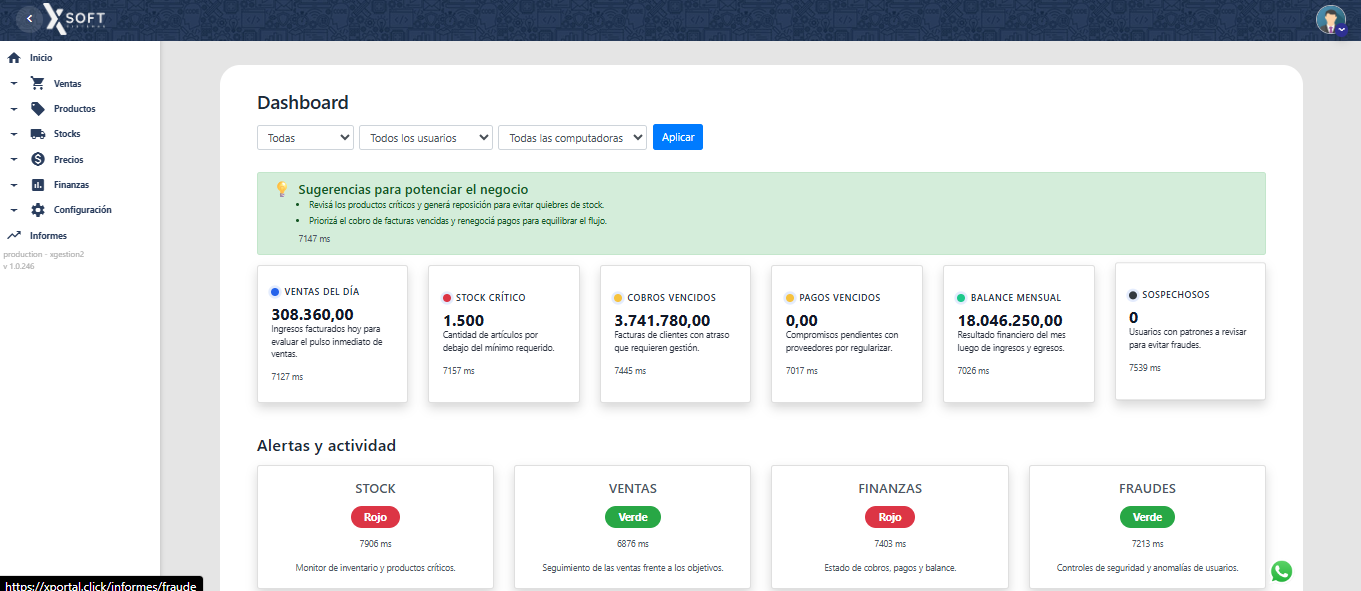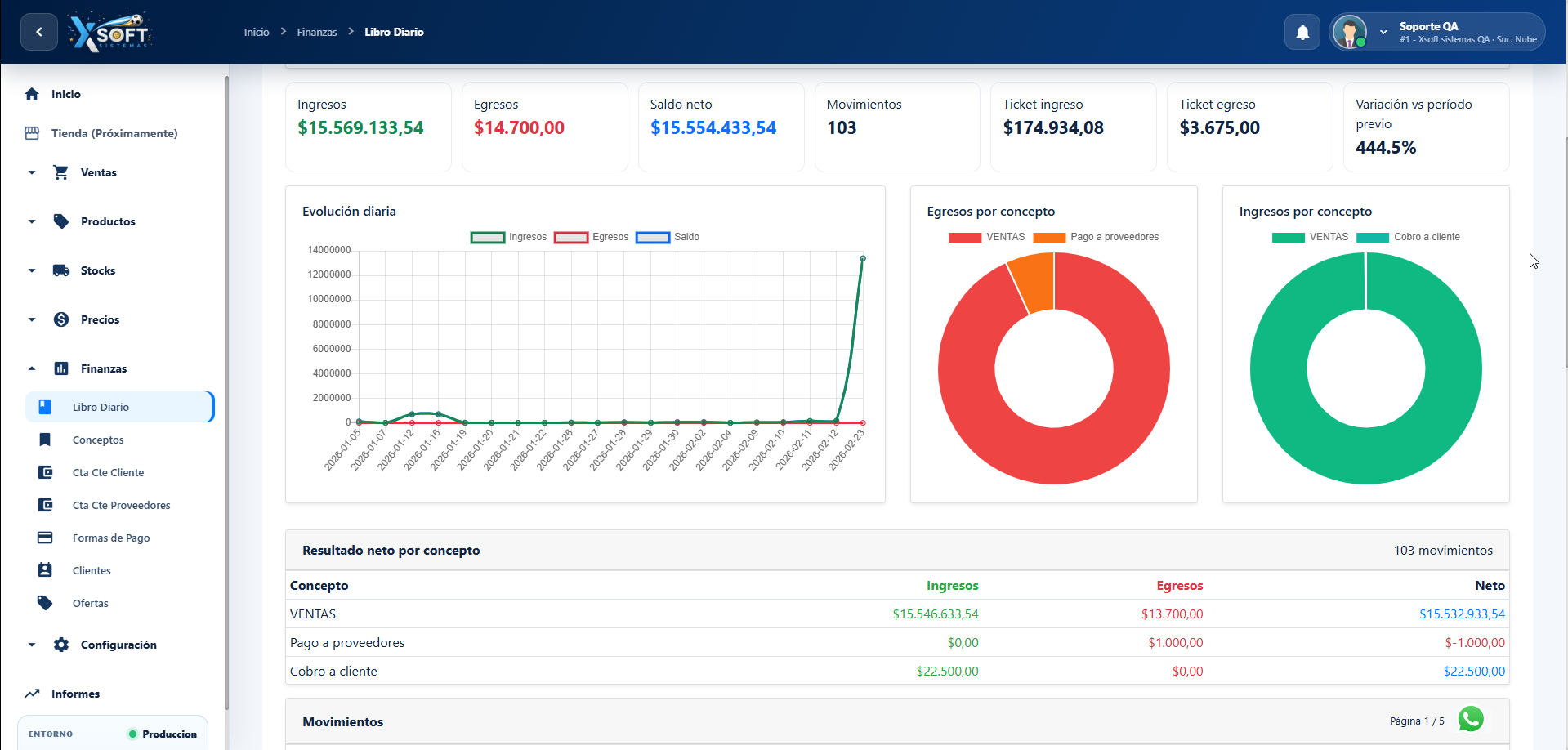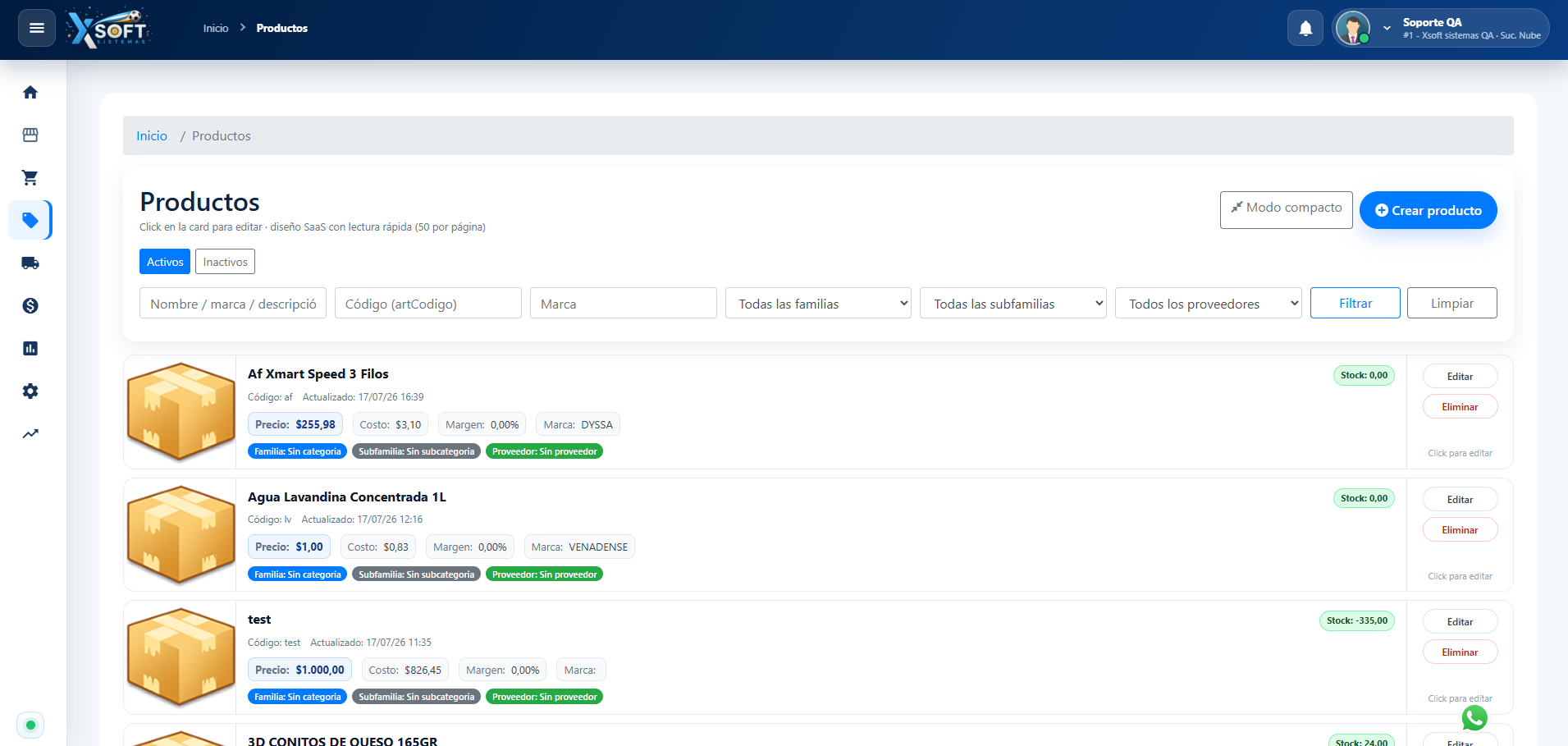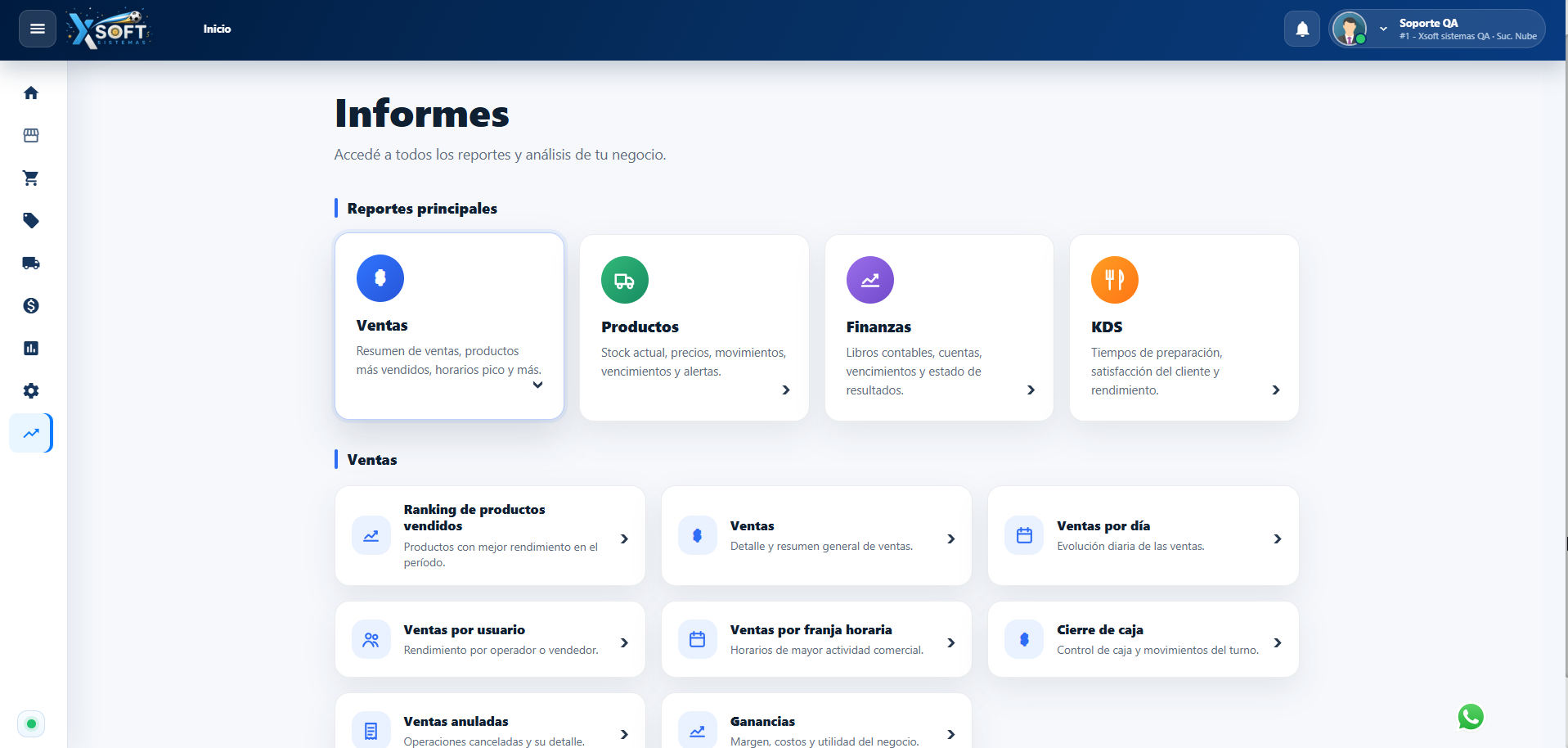
XPortal for owners and administrators: remote sales, stock, prices, cash registers and branches.

Operations + control

Two connected layers to operate and decide better

Your team works in XGestion at the store; owners and administrators use XPortal to centralize information and authorized actions.

At the store

XGestion operates

Sales, receipts, cash registers, stock and daily tasks remain in the management system.

From the web

XPortal centralizes

Queries, reports and enabled changes are available according to each user and permission set.

From scattered data to clear decisions

Resolve blind spots when you are away from the store

XPortal brings operational information together to reduce calls, spreadsheets and delayed decisions.

You cannot see what is happening

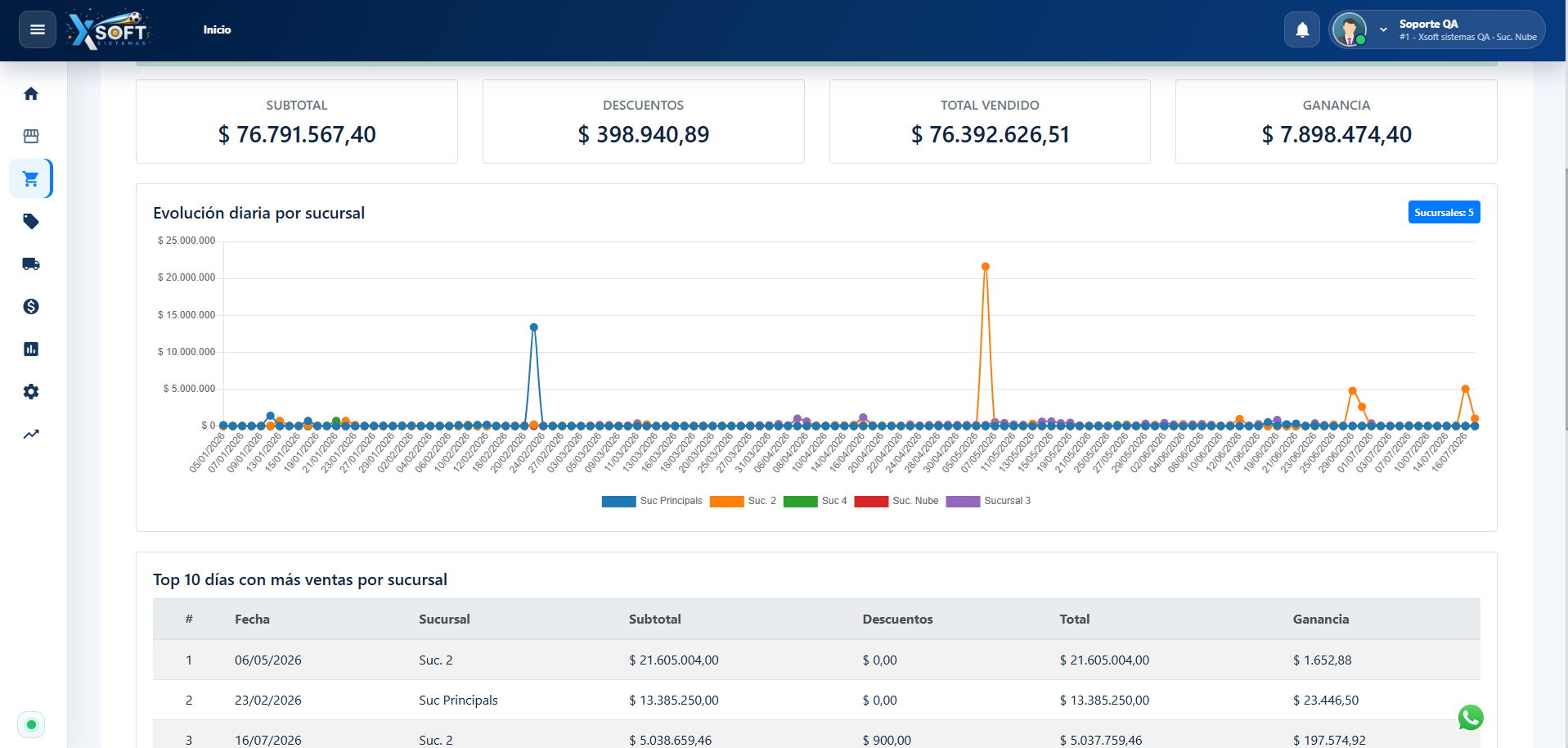
Review sales, closings and indicators without manual reports.

Prices fall out of date

Review and manage authorized prices from a source connected to the store.

Stock is scattered

Centralize inventory queries to detect shortages and differences.

Cash and branch data arrives late

Follow closings and branch operations with timely information.

Decisions are delayed

Use current web data and exports to analyze without waiting.

Real capabilities

The control you need without disrupting operations

Every access and action depends on configuration and user permissions.

Sales and closings

Review sales, movements and closings to follow daily results.

Products and prices

Review products and manage prices when your profile is authorized.

Stock

Review inventory and movements to detect shortages or differences.

Accounts

Access enabled account and balance information for your operation.

Reports and exports

Analyze information and export results whenever you need to work outside the system.

Users and permissions

Define what each user can view or do according to their responsibility.

Multi-branch

Centralize follow-up across different stores in the same operation.

Web access

Sign in from phone, tablet or computer with a compatible browser.

Frequently asked questions

Before adding XPortal to your business

Implementation adapts to the structure and permissions of each operation.

How does XPortal connect to XGestion?

XPortal is the web layer connected to enabled XGestion information and actions. During implementation we verify the version and available scope.

Do I need internet?

Yes, web access requires an internet connection. XGestion keeps local operations running according to its setup while XPortal synchronizes available information.

Can I use it on my phone?

Yes. XPortal works in a compatible browser on phones, tablets and computers.

Does it support multiple branches?

Yes. Multi-branch visibility depends on the configured structure and user permissions.

Can every user make changes?

No. Access and actions are limited through users and permissions to protect operations.

What does implementation involve?

We review XGestion, users, branches and control needs, then configure scope and support rollout.

Is support included?

Support and guidance conditions depend on the selected plan and commercial proposal.

Plans and pricing

Choose how much web control your operation needs

Compare Stores and Businesses options. Prices update directly from the XPortal catalog.

Custom proposal

Tailored

For operations that need a tailored rollout, scope or support.

Ask for a tailored quote
  • Commercial advice
  • Tailored implementation
  • Support planning
Ask about this option
Custom proposal

Tailored

For operations that need a tailored rollout, scope or support.

Ask for a tailored quote
  • Commercial advice
  • Tailored implementation
  • Support planning
Ask about this option

Choose how to continue

Get started with XPortal today

Buy XPortal online or talk to our team if you need help choosing the right option.